Now in beta on iPhone

Stop losing
things online.

Screenshots, links, notes, PDFs — SAVI saves everything into one private, searchable place on your iPhone. Save it in two taps. Find it in seconds.

Free during beta 100% on-device No account needed
📸 Screenshot saved
🔗 Link saved
📄 PDF saved
🔑 Code saved
The SAVI home screen — a searchable feed of recent saves with folders and a Private Vault
📸 Screenshots🔗 Links📄 PDFs🍝 Recipes🔑 Wifi codes✈️ Tickets🧾 Receipts📝 Notes🎟️ Confirmations🪪 IDs🎁 Gift ideas👟 Wishlists
The problem

Your stuff is scattered across 20+ apps.

That recipe is in Instagram. The wifi code is a screenshot from three months ago. The booking confirmation is… somewhere. You saved it — but saving isn't the same as finding.

2 tapsto save from any app
0folders you have to manage
1searchable home for everything
📷Saved reel… which account?
💬Link sent to yourself
🖼️Screenshot #4,217
📧Buried in inbox
📝Untitled note 38
"Where did I save that?"— everyone, every day
How it works

Save it now. Find it later.

No folders to manage. No filing homework. SAVI does the organizing — you just hit share.

1

Save in two taps

From any app, hit the share button and tap SAVI. Screenshots, links, PDFs, notes — anything you can share, you can save.

2

SAVI Sense organizes it

Every save gets a clean title, smart tags, and the right place in your feed. Zero effort, easy to find later.

3

Find it in seconds

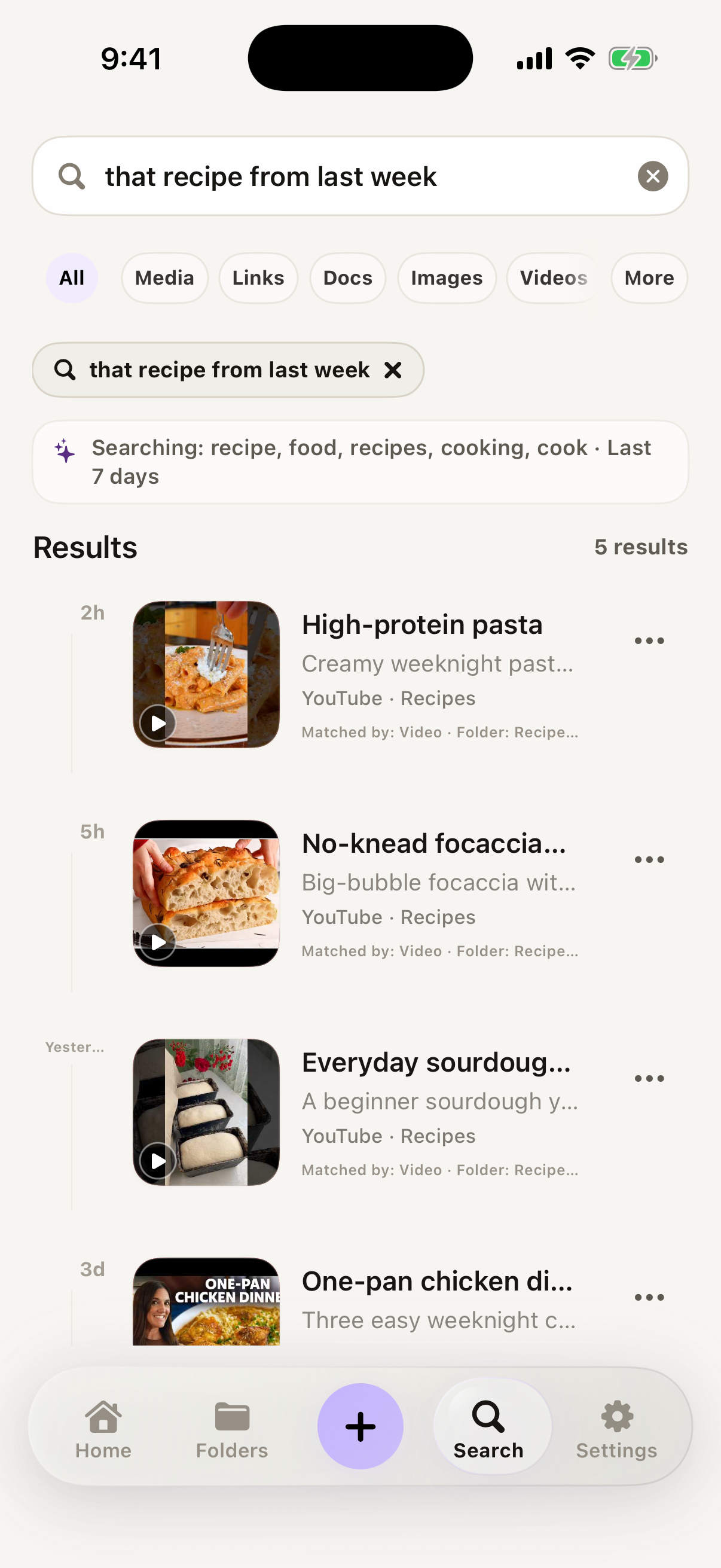
Type roughly what you remember — "wifi cabin", "that pasta thing". Fuzzy search finds it. No folder names, no exact titles.

Built for real life

A memory layer for modern life.

Search like you think

Fuzzy keyword matching means you don't have to remember the app, the filename, or the exact title. Close enough is good enough — SAVI fills in the rest.

Private Vault

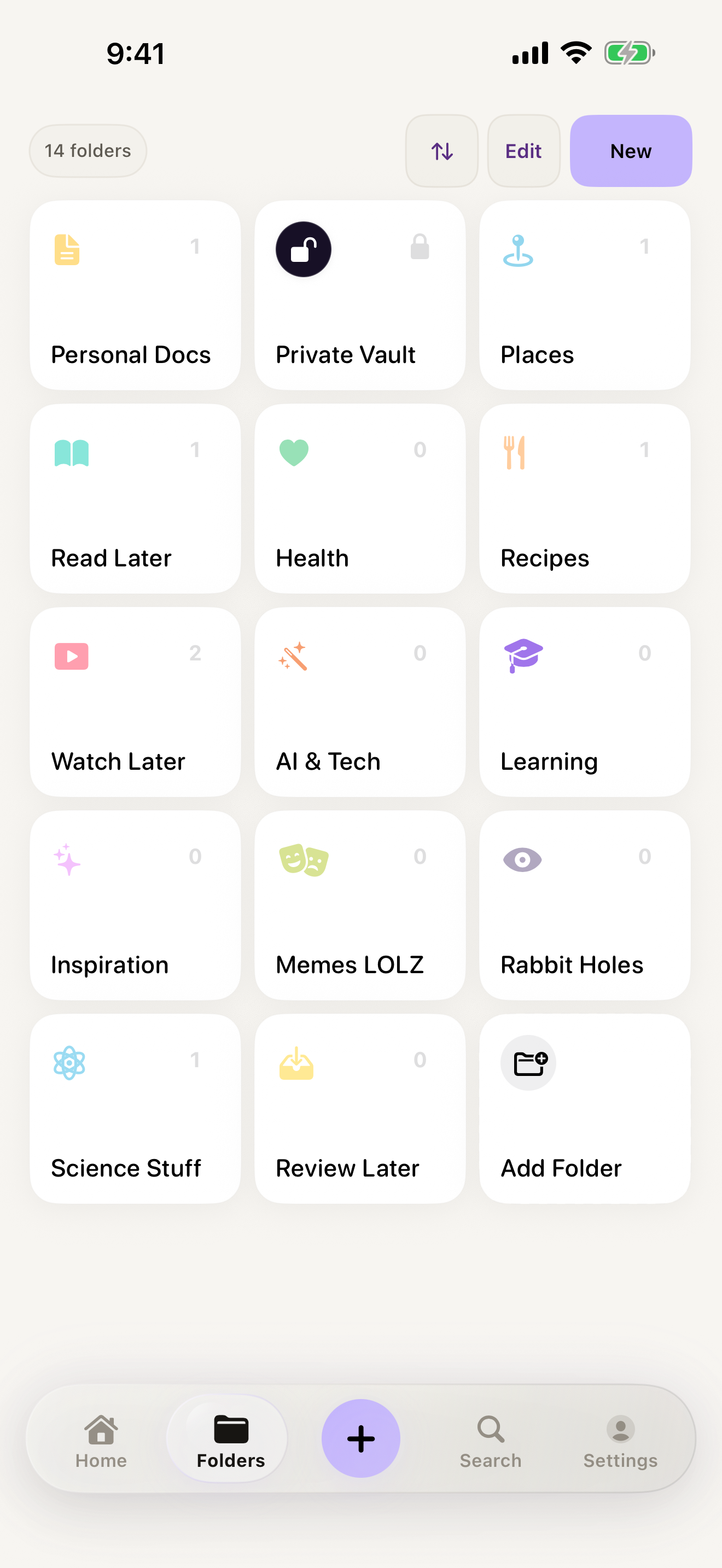
IDs, documents, and codes live behind Face ID. Even with your phone unlocked, your most sensitive saves stay sealed.

Auto-titles & smart tags

Every save arrives pre-titled and tagged — recipe, travel, shopping, code. Accept the suggestion or tweak it. Either way, it's findable forever.

Local-first by design

Your saves live on your iPhone — not on our servers. SAVI works offline, opens instantly, and your data is yours, full stop.

Privacy

Your memory. Not our product.

Most "save it for later" apps monetize what you save. SAVI is local-first: your data stays on your device, and our business never depends on selling it.

On-device storage

Saves are stored locally on your iPhone by default. No cloud account required to use SAVI.

No data sale. Ever.

We don't sell your data, we don't run ad tracking, and we don't use your saves to target you.

Face ID protection

The Private Vault adds biometric protection on top — your most sensitive items need your face or passcode.

FAQ

Questions, answered.

Is SAVI free?

Yes — SAVI is completely free while it's in beta. If we introduce paid plans later, we'll give beta members plenty of notice first.

Do I need to create an account?

No. There's no sign-up and no email required. Install SAVI and start saving — everything works on-device from the first launch.

Where are my saves stored?

On your iPhone. SAVI is local-first, so your saves live on your device by default — not on our servers. The app works offline and opens instantly.

What can I save?

Anything you can share. Screenshots, links, PDFs, notes, photos, Wi-Fi codes, confirmations — tap the share button in any app and choose SAVI.

Is there an Android version?

Not yet. SAVI is iPhone-only today and requires iOS 16 or later. Android isn't available during the beta.

How do I join the beta?

Through Apple's TestFlight — it takes under a minute. Tap here to join, install TestFlight if prompted, then open SAVI.

Never lose anything again.

Join the beta and give everything you save a home — and a search bar.

Download the beta — free

iPhone · iOS 16+ · via TestFlight · takes under a minute